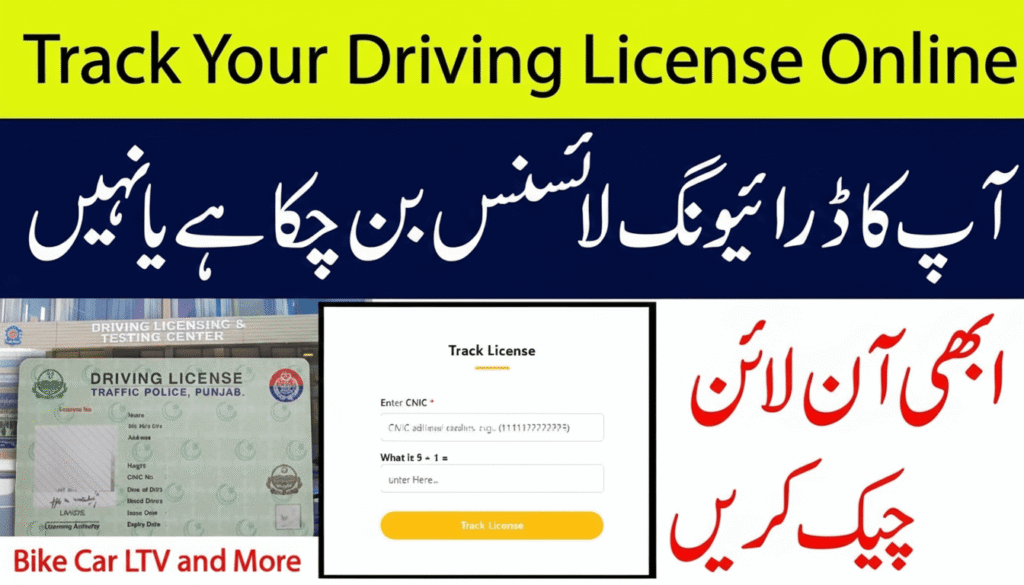
DLMS driving license is an essential document in Pakistan, as the government of Punjab imposes restrictions on citizens regarding helmets and driving licenses. This not only allows one to drive a vehicle legally but also fines 2000 rupees for riding without a permit. The complete driving license system in Punjab operates under DLIMS (Driving License Issuance Management System), through which citizens can now easily apply for, renew, and check the status of their driving license online from home.
 Join WhatsApp Channel
We will learn in detail how to track driving license status online via DLIMS, including available methods, required information, and solutions to common problems.
What is DLIMS?
DLIMS is actually an abbreviation for (Driving License Issuance Management System). This system has been introduced by the Government of Punjab and the Punjab Traffic Police to make all stages of the driving license digital and transparent. Through this system:
- A Driving license can be applied for online at any time.
- A Driving License can be renewed with a low fee.
- License verification is straightforward.
- No need for physical verification
- The current status of a driving license can be checked online.
Why Check Driving License Status Online
Most people are worried after applying for a license and have many questions. All these questions can now be answered from the comfort of your home through the online DLIMS portal, saving both time and money.
- When we received our driving license card
- Is the driving license process completed or not
- Has a Driving license been obtained or not
- Diving Licence, printed or not.
- The Driving License has been dispatched or is still pending in the queue.
- Where the driving is reached by the Pakistan post delivery system called UMS
How To Check Driving License Status
There is an easy way to check the driving license status on the DLIMS Portal, through your CNIC number. Let us understand both methods in detail.
Check License Status through CNIC
To check the Status of your driving license, follow the steps mentioned below.
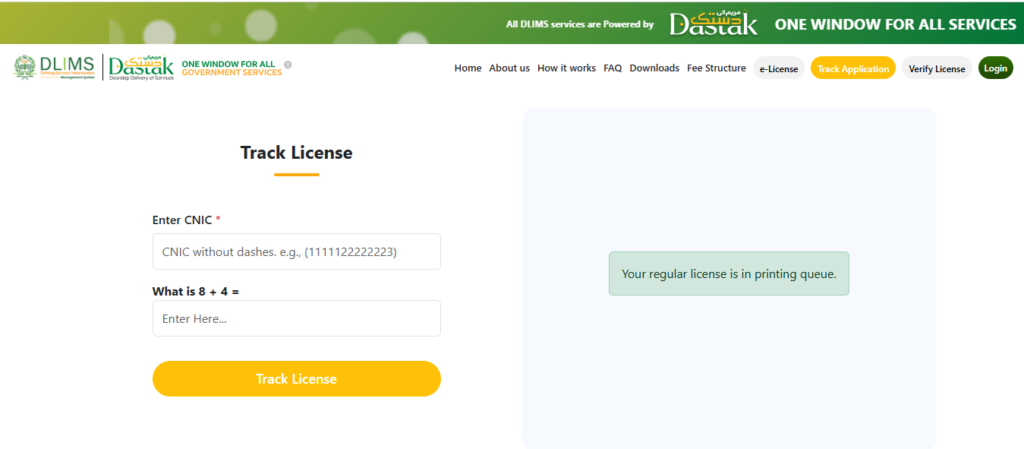
Step 1: Visit the official DLIMS Tracking page by clicking the button below.
Step 2: When you click the Track Your License Button, the DLMS Track License Portal opens
Step 3: After that, you will see the CNIC box and the Chapcha box with a math question
Step 4: Enter your 13-digit CNIC number without a dash (-)
Step 5: Solve the math question, simple answer like 5+1 = ? in the box
Step 6: Click on the Track License Button
Step 7: You will see the Result of the driving licence status, such as:
- Your Regular License is in the Printing Queue
- Your Regular License is Under Process
- Your Regular License is Printed
- Your Regular License is Dispatched
- Your Regular License is Delivered
Information Displayed on a Driving License
When you receive your DLMS Driving License, you will see the following information on your license card.
- License No
- Applicant Name
- Father’s Name
- Your Address
- Licence Issue Date
- License Expire Date
- CNIC Number
- License Type
Benefits of DLIMS Online Portal
- Apply for a new license or renew your existing driving license from home.
- Time-saving, and no need to visit any police traffic office.
- Transparent, fast, and secure system.
- No rush, no long lines, or waiting all day for your turn.
- Easy access for every citizen with your phone or laptop
Common Problems
1. Driving Status Not Showing
First, open the official tracking portal, then enter the correct CNIC number.
2. Driving License Status Not Changing
Due to the high number of applications, it sometimes takes time. The status will update once your license completes printing and is ready for dispatch.
3. License dispatched but not received
Check your UMS tracking number and contact Pakistan Post Office. When your driving card is dispatched, each card or delivery receives a unique UMS tracking number.
Conclusion
Under the vision of the Government of Punjab and CM Punjab Maryam Nawaz. The DLIMS system is a great initiative that has made obtaining and tracking a driving license very easy. Now you don’t need to visit the traffic office again and again, but you can check the status of your driving license online with just a few clicks. If you have recently applied for or renewed a permit, check your status in DLIMS immediately to get the latest information.


It’s an awesome piece of writing in support of all
the internet people; they will take benefit from it I am sure.