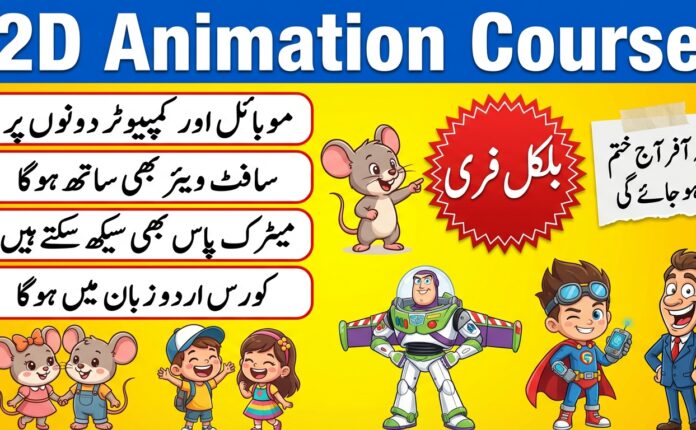
Now you can create professional 2D cartoon animations directly on your mobile phone. You don’t need expensive software or a powerful computer anymore. In 2026, mobile apps will be strong enough to help you draw, animate, edit, and publish full animated videos from your smartphone.
 Join WhatsApp Channel
If you are looking for a free, full 2D animation course on mobile, this guide explains what is included and what you will learn step by step.
What Is Included in This Free Course
This course comes with two important folders, and both of them are very useful for beginners.
1. 2D Animation Mobile Folder
This folder contains 3 files (mostly folders and a PDF file).
The main purpose of this folder is to show you which mobile apps are used for drawing, Animation, and editing. It also helps beginners understand which app is used for which work.
2D Mobile Apps
This PDF file includes a list of the best mobile apps for 2D Animation, along with their Play Store links.
Apps You Will Use in This Course
These apps will help you create a complete animated video from start to finish:
- Ibis Paint X – For drawing characters and backgrounds
- ChromaToons – For 2D animation (frame-by-frame)
- KineMaster – For video editing
- Pixellab – For text, titles, and thumbnails
- MotionLeap – For adding small animation effects
What You Will Learn Using These Apps
In this course, you will learn:
- How to draw characters on mobile
- How to create backgrounds and animation assets
- How to animate characters step by step
- How to edit animated videos
- How to add sound, music, and effects
- How to export your final video in HD
2. 2D Mobile Course Folder
This folder contains 7 files, including 5 video lessons and 2 extra files.
These 5 videos are the main part of the course. They teach you everything step by step, even if you are a complete beginner.
What You Will Learn in the 5 Video Lessons
The videos will help you learn Animation from zero level to creating your first cartoon video.
Lesson 1: Introduction to 2D Animation
You will learn how Animation works and understand frames, layers, and timing.
Lesson 2: Drawing Characters on Mobile
You will learn how to draw characters using Ibis Paint X, including line art and coloring.
Lesson 3: Animating Your Character
You will learn how to animate characters using ChromaToons step by step.
Lesson 4: Adding Effects and Motion
You will learn how to add small animation effects using MotionLeap.
Lesson 5: Final Editing and Export
You will learn how to edit your full Animation using KineMaster and export it in HD quality.
Why This Free Course Is Perfect
- Works completely on mobile
- No laptop or paid software needed
- Very easy apps for beginners
- Step-by-step video lessons
- Learn by creating real animation projects
- 100% free tools available on the Play Store
Who Should Take This Course
- Beginners
- Students
- YouTubers
- Short video creators
- People who want to learn Animation for free
- Artists who want to start digital drawing
Final Words
This Free 2D Cartoon Animation Course on Mobile (2026) is a complete learning package for anyone who wants to start Animation using only a smartphone. The course includes useful apps, resource files, and 5 step-by-step video lessons to help you easily create your first animated cartoon.